
Updated Nov 5, 2026
2 min readActive Workspace tiles: import with the right scope.
Templates, tiles and collections are linked objects. Start with the supported workspace-assignment use case, then check visibility and behavior.
PLM Nexus technical team
Recovered from our 2024 technical notes and reviewed against the documentation on 5 November 2026. The commands have not been rerun in Teamcenter for this revision. Check the installed version before use.
Historical environment: Teamcenter 14.1.0.9, Active Workspace 6.1.9, Windows Server 2019. The AWC 6.1 Configuration and Extensibility manual documents aws2_install_tilecollections for assigning a tile collection to a workspace and explicitly limits its supported purpose. This is not a general tile-update recipe.
Check the references before import
A tile references a template; a collection references tiles and a scope. Use unique example identifiers and a real test workspace. The downloaded XML illustrates this structure only: replace the workspace ID and validate the action, icon and identifiers in your installed version.
Download illustrative workspace XML ↓
aws2_install_tilecollections -h

aws2_install_tilecollections -u=ADMIN_USER -p=PASSWORD_PLACEHOLDER -g=dba -mode=add -file="C:\work\workspace-tiles.xml"
The second command is a syntax example, not ready to run: never paste a real password into shared scripts or shell history. Use the authentication method supported by the installed utility. The documented workflow has no export function; preserve source XML and record the existing objects before changing them. Do not assume -mode=update works for every object type.
Verify the result
Sign in with a user in the target workspace and one outside it. Check tile visibility, label and action, then repeat after a new session. An import success message does not prove that the intended audience sees the correct tile.
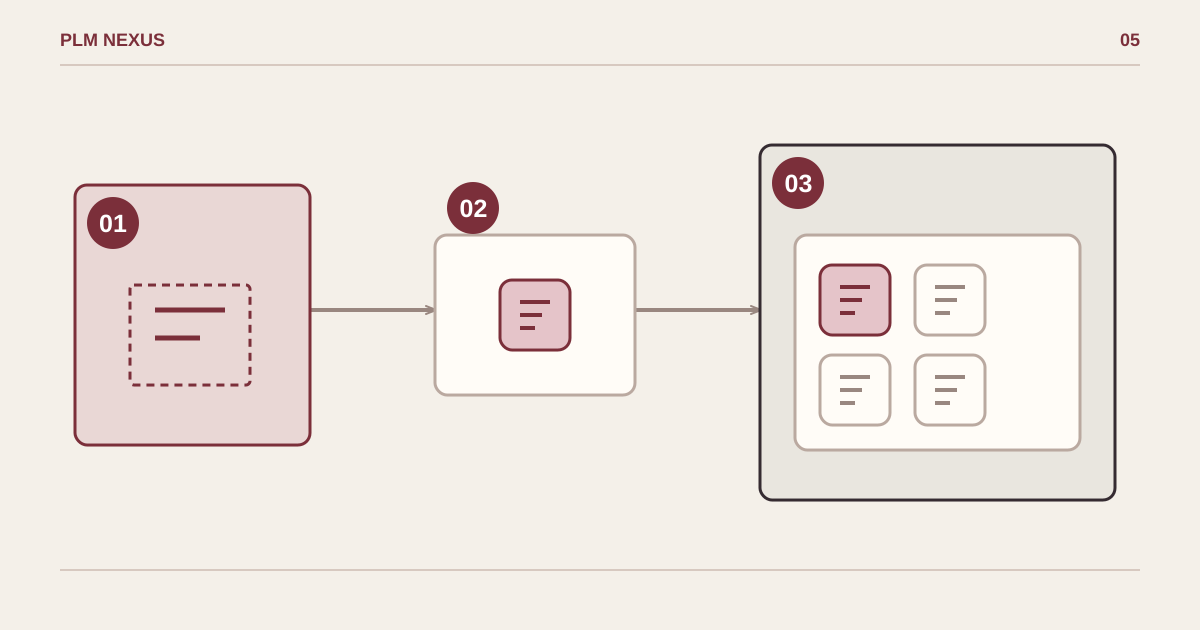
From symptom to verified result
- TemplateDefines the tile layout
- TileAn instance of the template
- WorkspaceContains the assigned collection
A template defines a tile; a collection groups tiles within the assigned workspace.
Conceptual diagram, not a software screenshot.
Next step
If this pattern is showing up in your Teamcenter environment, explore the relevant service or discuss the change you need.